No Translation available yet
You have English selected as language but this page has not been translated yet. Translate the page or view the content in the default space language below.
Display default
Integration
Import dependencies
Import the VIC SDK in your app and customize it:
- Import the ch.sasis.vicsdk package in your MainApplication:
import ch.sasis.vicsdk.VicSdk
- Configure the VicSdk shared objects, typically in your application’s onCreate method:
override fun onCreate() {
	super.onCreate()

    val vicSettings = VicSettings.Builder()
					    .setCardImage(your_card_image)
						.build()
    VicSdk.init(context = this, vicSettings = vicSettings)
}
Customize the look and feel of the SDK by using the VicSettings builder. For more infos refer to the customization section.
VicSDK Card Presentation Flow
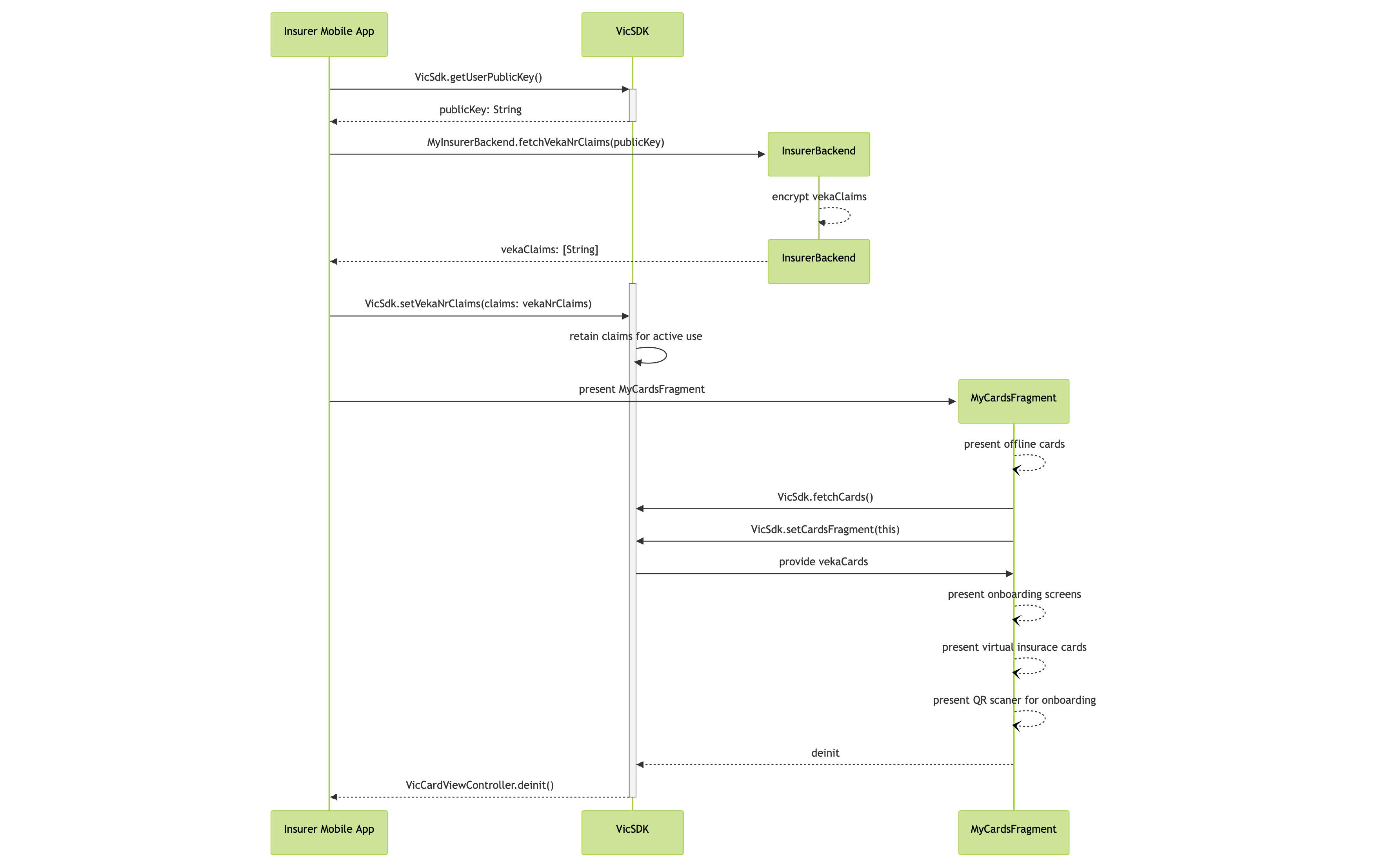
The original mermaid diagram can be found here.
Cards
The cards of all the family members can be shown by the VIC SDK. These can then be used to scan a QR code and transmit a signed/verified version of the card to a third party such as a hospital.
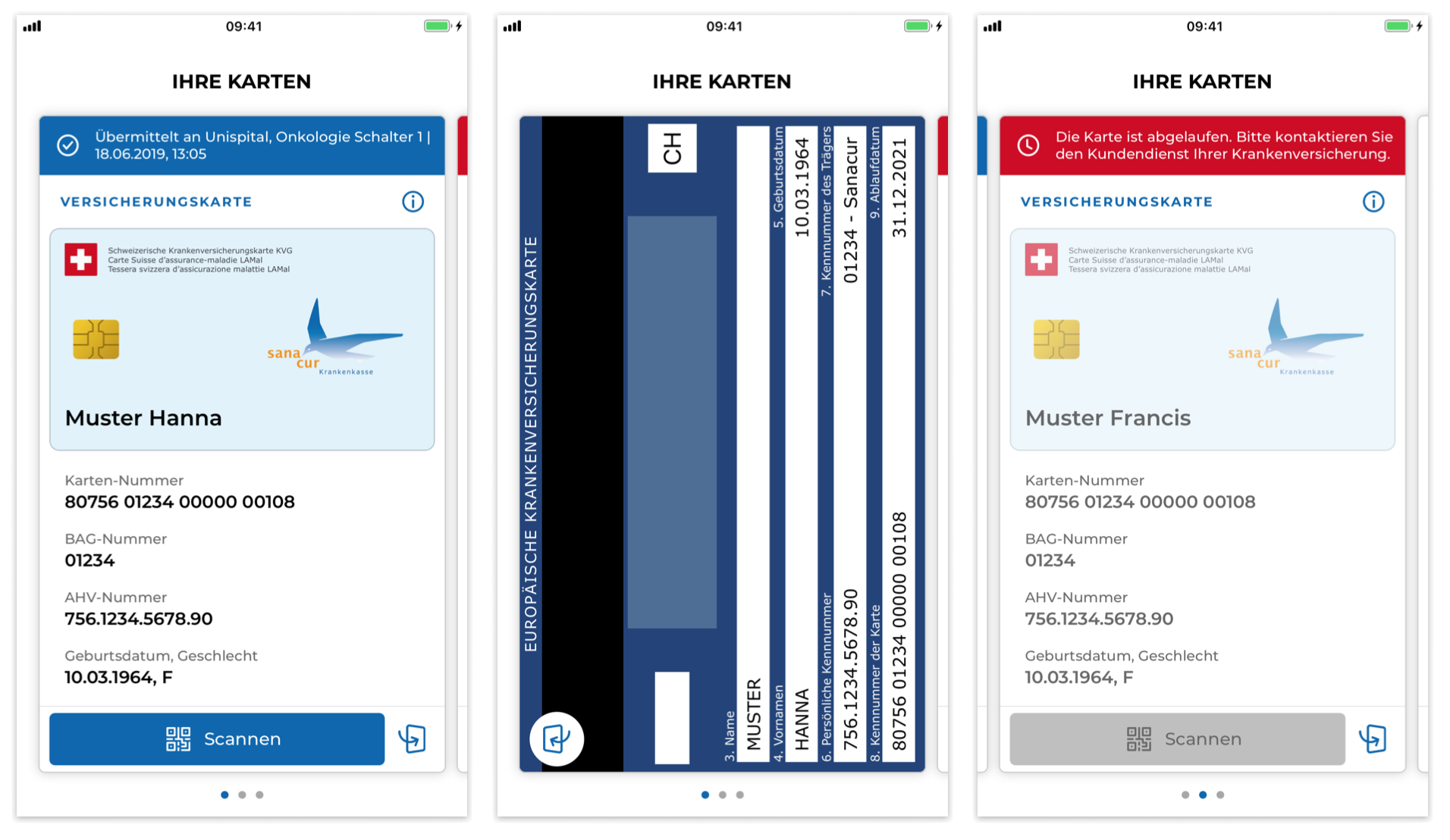
Show cards
Before showing the user’s cards, the insurer application needs to fetch the user’s VekaNr claims from the insurer server and pass them to the VIC SDK.
The list of VekaNr claim has to be provided as a JSON array of public PASETOs v2, with one PASETO corresponding to one VekaNr claim. This enables the VIC SDK to authenticate to the SASIS server and fetch the data of all the cards.
After fetching the VekaNr claims, pass them to the VIC SDK by calling the setVekaNrClaims function as follows:
VicSdk.setVekaNrClaims(vekaNrClaims)
The fragment for the cards can then be shown, for example on a FrameLayout element on the card-activity of your application:
